A good Flight Simulator Guide helps pilots match hardware, settings, procedures, and training goals so simulator time feels realistic, structured, and genuinely useful.
A simulator can be entertainment, but for many pilots it becomes much more than that. The difference between a casual setup and a useful training environment is realism. A strong Flight Simulator Guide gives you a way to make every session feel deliberate, repeatable, and tied to real cockpit habits instead of random button pressing. When realism improves, learning improves too. You notice scan discipline, phraseology, checklist habits, and situational awareness in a way that casual gameplay never teaches.
A thoughtful Flight Simulator Guide also protects your time. Without structure, it is easy to wander from one aircraft to another, change settings constantly, and never build real muscle memory. With structure, each session has a purpose. You might practice taxiing one day, stabilized approaches the next, or IFR procedure work on a later session. The point is not to make the simulator identical to a real aircraft. The point is to make it honest enough that your habits transfer. That is the core promise of a useful simulator guide.
Start with your training goal
Every setup decision gets easier when you know why you are simulating. Some people want to sharpen procedural knowledge, some want to rehearse a private checkride, and others simply want more immersive flying. A Flight Simulator Guide works best when it begins with the end in mind. If your goal is training, you will prioritize accurate cockpit flow, correct navigation, and disciplined checklists. If your goal is immersion, you may prioritize atmosphere, weather, sounds, and visuals. If your goal is a blend of both, you will need to balance realism with convenience.
That balance matters because not every realistic choice is useful for every pilot. A beginner may benefit more from stable controls and predictable performance than from a completely unforgiving setup. An experienced aviator may want the opposite. A good simulator guide respects that difference and helps you choose realism that supports learning rather than realism that only makes the experience frustrating.
The hardware that changes everything
The first major realism decision is hardware. A keyboard and mouse can get you airborne, but they rarely create the kind of muscle memory that serious sim pilots want. A Flight Simulator Guide should recommend starting with controls that match the kind of flying you actually want to practice. A basic yoke or joystick, pedals, and a throttle quadrant can dramatically change how naturally the simulator behaves. Once you add tactile controls, takeoff, climb, flare, and taxi start to feel like procedures rather than screen inputs.
Pedals matter more than many new sim pilots expect. They improve rudder control, make taxiing less awkward, and help with crosswind handling. A simulator guide should also remind you that hardware choice is not about buying the most expensive gear first. It is about removing the largest sources of artificial difficulty. If the controls fight you, you are learning the controls instead of learning to fly. Good hardware reduces that friction.
Why a good view setup helps realism
Flight simulation is visual, and your display setup strongly affects workload. A single monitor is perfectly usable, but a Flight Simulator Guide should help you think about field of view, panel visibility, and head movement. A wider view can make taxiing and pattern work easier because you see more of the world around you. A smaller or poorly positioned screen can force you to overuse panning and make real cockpit scanning feel unnatural.
Multi-monitor and VR setups can increase immersion, but they are not automatically better for training. In some cases, they make it harder to read instruments clearly or introduce too much visual complexity. The best setup is the one that supports your use case. A simulator guide should keep that practical truth front and center. It is easy to chase immersion and lose clarity, especially if you are trying to practice actual procedures.
Aircraft choice and realism targets
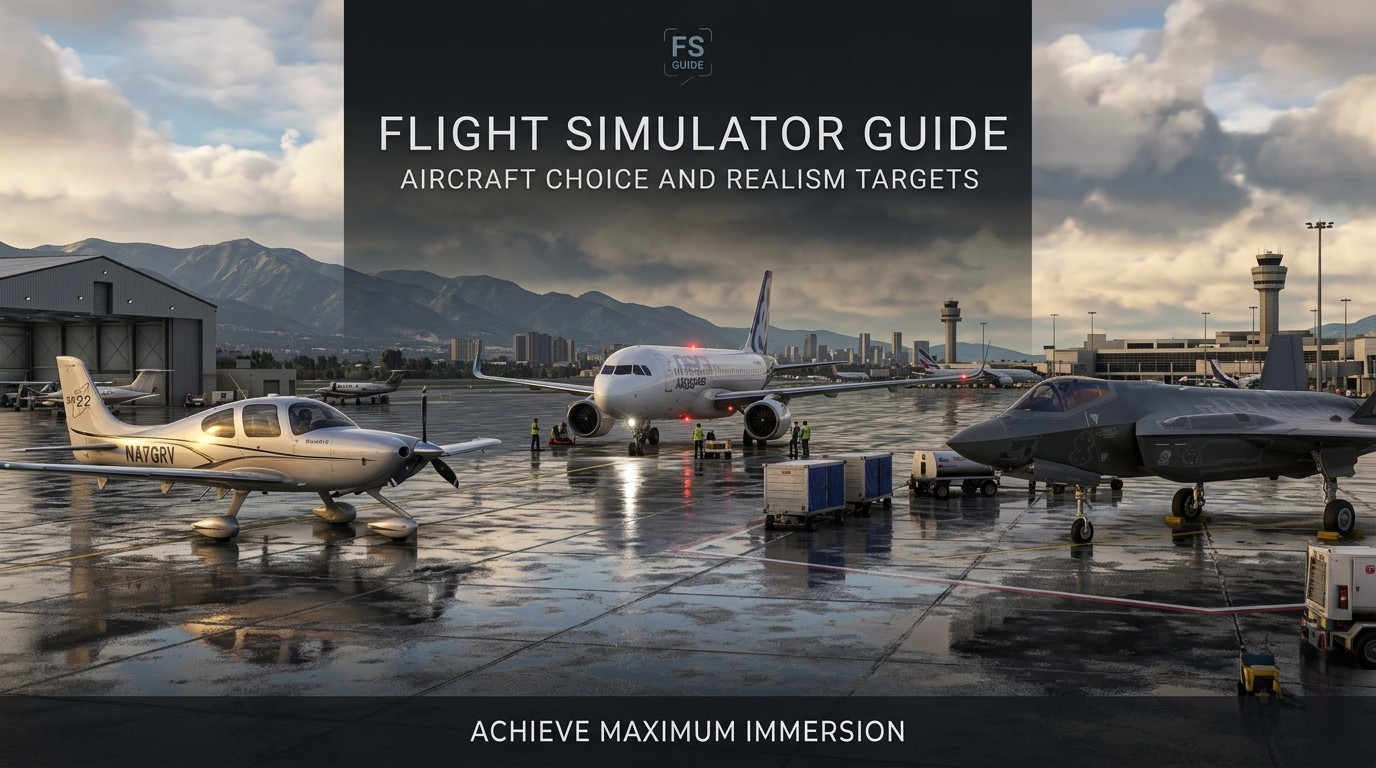
Not every aircraft serves the same purpose. A basic trainer is ideal for foundational work because it reinforces the skills that matter most early: attitude control, trim, pattern flying, and simple navigation. A complex airliner or advanced turboprop is better once you want to work on systems, automation, and cockpit discipline. A smart Flight Simulator Guide separates aircraft by training function so you do not try to learn everything at once.
Beginners often think they need the most complex aircraft to be realistic. In practice, that usually leads to overload. A simple aircraft flown well can teach more than a complicated aircraft flown badly. If your goal is to build confidence, start with something manageable. If your goal is systems study, choose an airplane that rewards procedural discipline. A good simulator guide helps you match the airplane to the lesson.
Settings that quietly shape realism
Flight simulators offer many settings that affect how real the flying feels. Assistance options, weather realism, traffic density, damage modeling, and flight model behavior all change the experience. A solid Flight Simulator Guide encourages you to reduce assistance gradually rather than switching everything off immediately. That way you can maintain confidence while still improving skill. It is better to make a change, practice with it, and understand the effect than to alter ten settings and lose track of what actually improved the experience.
Weather deserves special attention. Realistic wind, turbulence, cloud layers, and visibility can turn a routine flight into a meaningful training event. But too much weather too early can overwhelm a newer sim pilot. A simulator guide should frame realism as progressive exposure. Start with the basics, then add complexity as your control improves. That process builds competence instead of just adding stress.
How to make checklist discipline feel real
One of the most valuable habits in aviation is procedure discipline. In a simulator, checklists are not just decorative text. They are the bridge between button clicking and real cockpit thinking. A Flight Simulator Guide should encourage reading, calling, and confirming each step instead of rushing through them, the same kind of discipline that also helps when you prepare for a Flight Instructor Oral Exam. The more seriously you treat the checklist, the more the aircraft begins to feel like a system with logic rather than a machine you are poking into motion.
The best practice is to use the same flow every time. Walk around the cockpit in the same order, verify the same items, and keep your setup sequence consistent. Eventually the pattern becomes automatic. That is when simulation starts to feel close to real flying. A simulator guide is ultimately a guide to habit formation. The better your habits, the less mental energy you waste on avoidable mistakes.
Matching sim sessions to real-world training
A useful simulator session should feel like a real training block, not a random free flight. If you are preparing for actual flying, organize sessions by objective: taxi and takeoff, stalls, slow flight, pattern work, instrument tracking, VOR navigation, or approach briefs. A Flight Simulator Guide helps you think in lessons, not just flights. That structure makes your sim time easier to review later because you know what you were trying to improve.
This approach also makes it easier to measure progress. Instead of asking whether the flight was fun, ask whether the lesson became smoother. Were you less distracted? Did you maintain altitude more precisely? Did your approach stabilize earlier? Those are the questions that turn a simulator into a tool. A good simulator guide always keeps the training objective visible.
Flying like you mean it: mindset and discipline
Realism is not only about technology. It is also about attitude. If you taxi too fast, skip your checks, and dive into maneuvers without briefings, the simulator will still run, but the learning value drops. A Flight Simulator Guide should push a mindset of seriousness without making the experience joyless. The goal is not to punish yourself. The goal is to behave like a pilot long enough that pilot habits become natural.
That mindset often starts before engine start. Brief the flight. Decide the route. Know the weather. Plan fuel. Think through the approach. Then execute in order. A Flight Simulator Guide works because it turns flying into a process. And process is what professional pilots trust when conditions get busy.
A practical table for realism settings
| Area | Beginner-friendly choice | More realistic choice | Why it matters |
|---|---|---|---|
| Flight model | stable, forgiving | less assisted, more nuanced | affects control feedback |
| Weather | clear or light wind | live weather, turbulence, visibility changes | changes workload and decision-making |
| Assistance | helpful aids on | aids reduced or off | affects learning transfer |
| View setup | single screen | wider view or VR | changes spatial awareness |
| Hardware | basic controls | yoke, pedals, throttle, switches | improves muscle memory |
A table like this helps a Flight Simulator Guide stay practical. You can adjust one layer at a time instead of trying to transform the entire experience overnight.
Approaches, landings, and the skill that shows everything
Many pilots judge realism by how landings feel. That makes sense, because landings reveal whether your scan, speed control, trim, and sight picture are working together. A Flight Simulator Guide should treat approaches as one of the most important realism drills. If you can brief the approach, stabilize early, manage descent rate, and land consistently, your simulator is serving a real purpose.
Approach training also exposes weak habits quickly. A rushed descent, poor trim, or bad energy management becomes obvious. The challenge is to practice enough repetition without falling into mindless loops. A Flight Simulator Guide helps you review each landing honestly. What went well? What was unstable? What would you change on the next try? That review process is how sim time becomes learning time.
Where online tools can help
The internet can be useful for route planning, weather review, aircraft knowledge, and navigation ideas. A Flight Simulator Guide should tell you to use reputable sources and compare them carefully. For example, you might look at charts, airport diagrams, and route planning tools before a session. Then you can create a flight that feels intentional rather than improvised.
Some pilots also use airfare search habits as a mental model for travel realism. Skyscanner Hacks are not directly about flying aircraft, but the same instinct applies: compare options efficiently, notice hidden tradeoffs, and choose the path that best matches your goal. In simulation, that might mean selecting a route that teaches you a new procedure instead of just choosing the shortest one.
Planning a route like a real pilot
Route planning is one of the most satisfying parts of simulation. A Flight Simulator Guide should encourage you to plan departures, en route checkpoints, fuel stops, and arrival logic as if the flight mattered, much like how a Google Flights Guide teaches travelers to compare routes before booking. That does not mean every session has to be complex. It means each one should have a reason. A short hop can still be realistic if the planning is thoughtful.
If you are using navigation aids, choose a route that matches your current skill level. Too simple and you may not learn much. Too complex and the workflow can break down. A good Flight Simulator Guide helps you find the middle ground. The route should challenge you enough to stay focused but not so much that you lose the thread.
Understanding private pilot training in the sim
A simulator can support real training preparation, but it should not be confused with actual certification. A Flight Simulator Guide should explain that simulator practice is most useful when it supports knowledge, flow, and confidence. It can help with mental rehearsal, but real-world flying still requires real aircraft, real instruction, and real performance standards.
That distinction becomes clearer when you compare the sim to formal learning. Private Pilot License Requirements involve logged time, instruction, aeronautical knowledge, and practical competence under a qualified instructor. Simulation can help you study airspace, procedures, airport flow, and decision-making, but it is not a substitute for actual training. A responsible Flight Simulator Guide keeps that line very clear.
How sim practice can support checkride prep
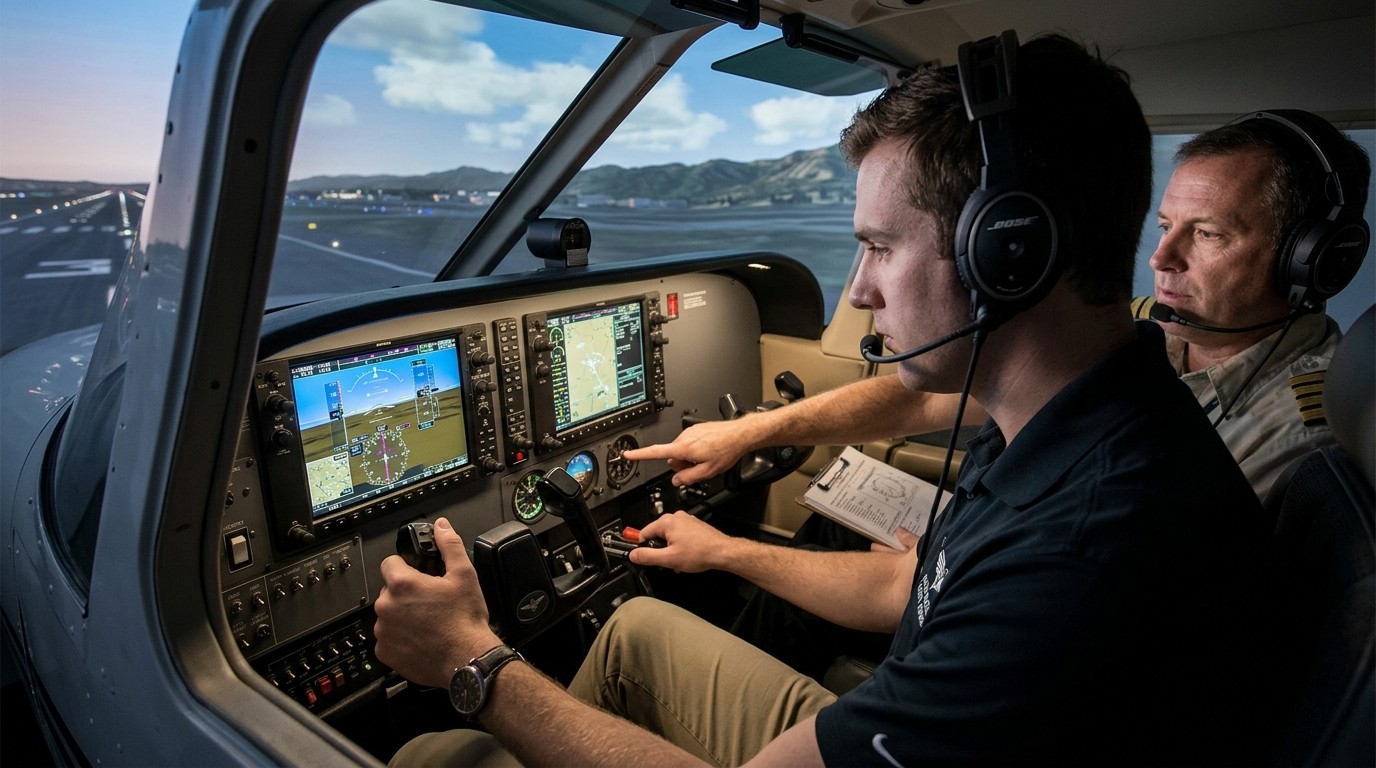
For students or aspiring pilots, simulators can reinforce habits that help in ground and flight training. You can practice callouts, chair-flying, checklist flow, radio phraseology, and scenario thinking. A Flight Simulator Guide should recommend using the simulator to rehearse the sequence of a maneuver instead of just flying around aimlessly. That kind of practice can strengthen confidence before a lesson or oral exam.
One particularly useful habit is verbalizing what you are doing. Say the steps. Talk through the scan. Announce the next action. This may feel odd at first, but it helps form the same mental structure you need in the cockpit. A Flight Simulator Guide that includes speaking out loud is often more effective than one that focuses only on controls.
The role of weather realism
Weather is where the simulator starts to feel alive. Winds, gusts, visibility, cloud ceilings, and precipitation each change how you fly and how you think. A Flight Simulator Guide should encourage using weather as a training variable, not just a scenic backdrop. When conditions vary, you learn to plan better and adapt faster.
Still, weather realism should match your current stage. A complete beginner may learn more from calm conditions and a single variable than from a stormy, busy environment. Progress slowly. Add crosswind practice, then low visibility, then more complex layers. A Flight Simulator Guide is not about making every flight hard. It is about making each flight meaningful.
Developing a solid cockpit workflow
A realistic session usually has a rhythm: setup, checklist, taxi, takeoff, climb, cruise, descent, approach, landing, shutdown. The more consistently you follow that pattern, the more natural it feels. A Flight Simulator Guide should emphasize that rhythm because it creates continuity from one session to the next. You are not starting from zero each time; you are continuing a trained habit.
Workflow matters in the little things too. Keep controls where they belong. Use the same seat position or camera angle. Store your notes where you can find them. The less time you spend hunting for things, the more attention you can give to flying. A Flight Simulator Guide that helps you organize the cockpit environment can improve realism as much as a new joystick.
Using the simulator to study systems
If you like technical flying, a simulator can become a systems lab. You can explore electrical logic, fuel management, pressurization, autopilot behavior, engine startup, and failure responses. A Flight Simulator Guide should suggest focusing on one system at a time so the learning remains clear. That way you actually understand how the aircraft behaves instead of memorizing a sequence you do not fully grasp.
Systems study also helps you become a more thoughtful pilot. When something does not work, you can trace the cause. When something works, you can see why. That analytical habit is valuable whether you fly in the simulator or in the real world.
Building confidence without fake shortcuts
A lot of simmers want realism but still rely on shortcuts when a flight gets difficult. Sometimes that is fine, especially when you are learning. But over time, a Flight Simulator Guide should encourage reducing the shortcuts that hide mistakes. If you always auto-correct or fast-forward through trouble, you miss the chance to improve. The discomfort of making and fixing mistakes is part of the process.
That does not mean you need to suffer unnecessarily. It means your simulator should reward better technique. If a sloppy approach leads to a bad landing, that feedback is useful. If a good procedure leads to a smooth result, that is useful too. The best Flight Simulator Guide lets the simulator teach you through consequences that make sense.
A few mistakes that break realism
Many pilots accidentally reduce realism by making the same easy mistakes repeatedly. They overspeed taxi, ignore checklists, change view angles too much, or switch aircraft before they master one. A Flight Simulator Guide should call out these habits because they are common and fixable. Another mistake is chasing perfect settings instead of practicing. The sim can become a menu simulator if you spend all your time adjusting sliders.
The solution is simplicity. Pick one aircraft, one route type, one objective, and one set of settings. Then repeat until it feels stable. Realism grows through repetition, not constant reinvention. That is one of the most important lessons in any Flight Simulator Guide.
What an effective practice session looks like
A strong practice session begins with a clear goal. Maybe you want to practice VFR pattern work. Maybe you want to fly an approach with minimal assistance. Maybe you want to review a cross-country route. A Flight Simulator Guide should encourage writing that goal down before starting. Then you fly with that objective in mind and debrief afterward.
The debrief is where improvement happens. Note where you lost altitude, where your scan slipped, where a checklist item was missed, or where your approach became unstable. Then adjust the next session accordingly. A Flight Simulator Guide is, in part, a habit of reflection. Flying is only half the lesson. Reviewing is the rest.
Using simulation to support real-world study
A simulator can be a quiet study partner for aviation knowledge. You can use it while reviewing charts, memorizing airport layouts, or practicing radio work. A Flight Simulator Guide should recommend pairing sim time with study time so the two reinforce each other. You learn the concept on paper, then see it in motion, then repeat it until the idea feels familiar.
That is especially useful before milestones like a checkride or instrument rating training. The simulator cannot give you the official credit, but it can reduce surprise and build familiarity. That can make your formal lessons more efficient and less stressful.
Why routine matters more than intensity
Some sim pilots think realistic means dramatic. In reality, the most effective sim work is often routine. Repeated starts, repeated taxi flows, repeated approach briefs, repeated landings. A Flight Simulator Guide should make routine sound valuable because it is. Real-world skill is built from patterns that remain stable under pressure.
Intensity has its place, especially when you need to practice complex weather or emergency thinking. But if every session is a chaos event, you do not build stable habits. Balance is better. A Flight Simulator Guide that respects routine gives you a stronger foundation for later challenges.
How to keep the experience enjoyable
Realism should not remove fun. A Flight Simulator Guide is strongest when it makes the experience immersive and satisfying. You should still enjoy the scenery, the aircraft, the learning, and the calm concentration that comes from a well-run flight. Enjoyment is important because it keeps you coming back. Consistency matters more than occasional bursts of motivation.
If realism starts to feel oppressive, simplify for a session or two. Use a shorter route. Choose good weather. Return to a familiar aircraft. The point is sustainable progress. A Flight Simulator Guide should support long-term engagement, not one exhausting attempt at perfection.
Advanced realism for experienced sim pilots
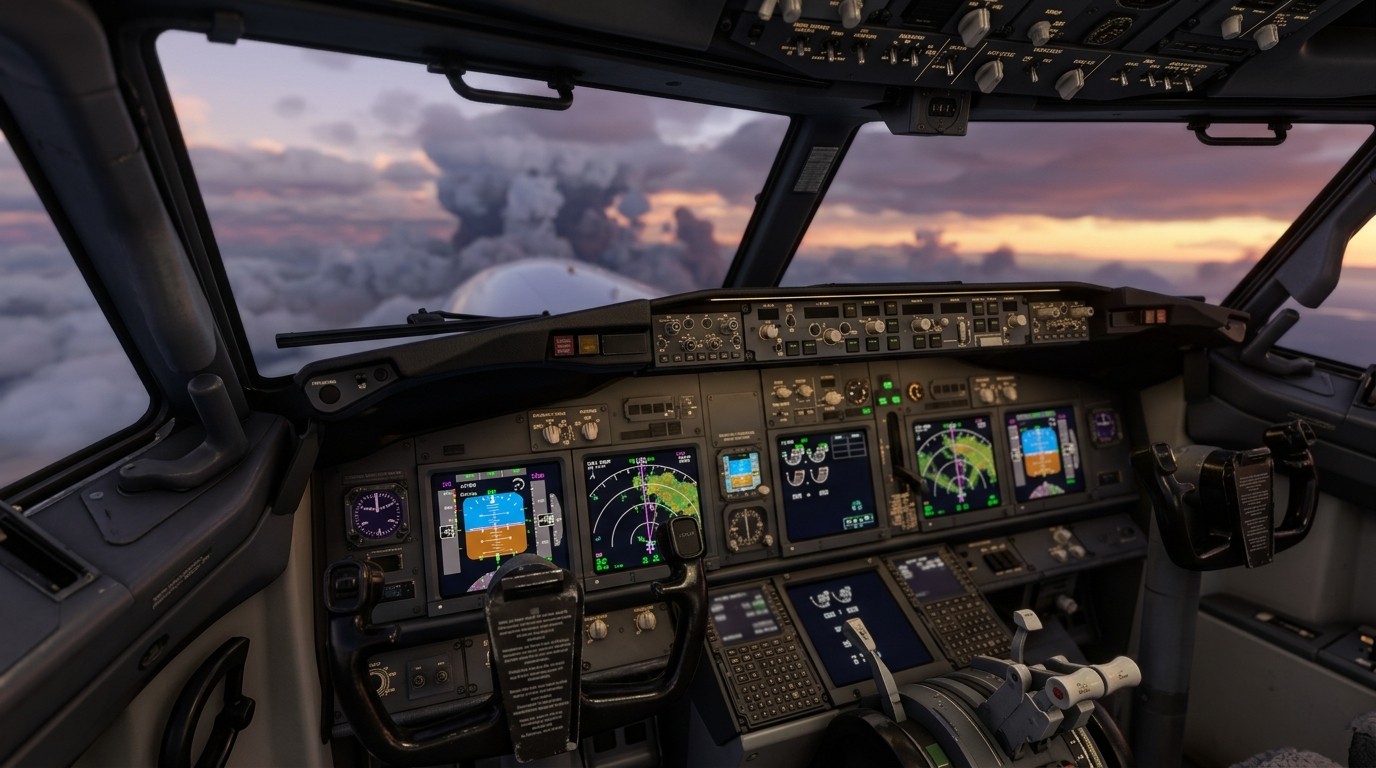
Once the basics feel natural, you can push deeper. Add live weather, more realistic failures, stricter procedures, better cockpit workflows, and tighter adherence to real-world performance. A Flight Simulator Guide for advanced users should recommend raising one challenge at a time. That keeps the experience sharp without making it chaotic.
At this stage, realism becomes less about novelty and more about fidelity. You care about exact speeds, exact callouts, and exact sequence discipline. That level of precision can be extremely satisfying because it rewards your earlier practice. The aircraft begins to respond like a known system rather than an obstacle.
How to review your progress
Keep notes. That simple habit turns a hobby into a learning track. After each flight, record what aircraft you used, what weather you chose, what went well, and what needs work. A Flight Simulator Guide that includes note-taking helps you see trends over time. Maybe your approaches are getting better but your taxi discipline needs work. Maybe your radio flow is strong but your descent planning is late.
Those patterns are easy to miss if you never write them down. Review gives direction to future flights. Without it, every session feels isolated. With it, your simulator starts to feel like a program.
Final thoughts on realism and purpose
The best simulators are not the ones with the most expensive gear or the most dramatic settings. They are the ones that match your goals and reward good habits. A Flight Simulator Guide should help you make those choices with confidence. Start with clear objectives, choose hardware that reduces friction, use realistic settings gradually, and fly with discipline. The result is a simulator that does more than entertain. It teaches, it sharpens, and it keeps your aviation mindset active between real flights. That is the real value of simulation done well.
Conclusion
A useful Flight Simulator Guide is really a roadmap for discipline, not just a list of settings. When you define your goal, choose the right aircraft, build a sensible hardware setup, and practice with purpose, the simulator becomes a meaningful tool instead of a casual game. Realism is most valuable when it improves decision-making, habits, and confidence. That is why the best sessions are intentional, structured, and repeatable. Whether you are preparing for formal training, refreshing procedures, or simply trying to fly more honestly, the right approach can make every minute in the simulator count. Keep the focus on process, and the realism will follow naturally.
Frequently Asked Questions (FAQ)
1. What is the main purpose of a Flight Simulator Guide?
A Flight Simulator Guide helps pilots build a realistic setup, improve habits, and use simulator time in a structured way that supports learning and confidence.
2. Do I need expensive equipment to make simulation realistic?
No. A Flight Simulator Guide should help you start with stable controls and add hardware gradually, because good habits matter more than price.
3. Can a simulator help with real pilot training?
Yes, in a limited way. A Flight Simulator Guide can support procedure practice, flow, and knowledge review, but it cannot replace official flight instruction.
4. Should beginners turn off all assistance?
Usually not at first. A Flight Simulator Guide is more effective when realism is increased gradually so the learning curve stays manageable.
5. What aircraft is best for learning?
A basic trainer is often the best starting point. A Flight Simulator Guide usually recommends simpler aircraft first because they reinforce core flying skills.
6. How important is weather realism?
Very important, once your basics are solid. A Flight Simulator Guide should treat weather as a training tool because it changes workload and decision-making.
7. How can I make my landings better in the simulator?
Practice stable approaches, proper trim, and consistent speed control. A Flight Simulator Guide should encourage reviewing each landing and adjusting one thing at a time.
8. Is VR better than a monitor for simulation?
It depends on your goal. A Flight Simulator Guide should recommend the setup that best supports clarity, comfort, and the kind of flying you want to practice.
9. How do I avoid turning the sim into random play?
Set one objective per session and keep notes. A Flight Simulator Guide is most useful when each flight has a clear training purpose.
10. Can simulation improve aviation confidence?
Yes, especially when used carefully. A Flight Simulator Guide can help build familiarity, but the best confidence comes from disciplined practice and honest review.